Jul 23, 2026-Reviews
Fomr Review - A Free, Unlimited Form Builder for Small Teams
We've tested Fomr, a free unlimited form builder with a visual drag-and-drop editor, an AI form generator, and workflows that push responses to Google Sheets.
Welcome to this Fomr review ✨
Form builders have a pricing problem. You start on the free plan, your form works, and then you hit the wall: 10 responses a month, or 100, or your third teammate costs extra, or the one feature you actually need (logic, uploads, notifications) sits behind the paid tier. The tool is fine. The meter attached to it is not.
Fomr's bet is to remove the meter entirely: unlimited forms, unlimited responses, unlimited team members, free. The paid tier exists, but it covers branding and custom domains; collecting and reading responses stays free at any volume. The founder, Bohdan, asked me to look particularly at two things: how fast and easy the editor is, and the Workflows system that runs actions after a submission comes in. So that's where I spent most of my time, building and publishing a real form hands-on.

Getting Started & First Impressions
The nicest onboarding decision Fomr makes is that there isn't one. The "Get started — no signup" button on the home page drops you straight into the real editor as a guest: an empty canvas, a components rail on the left, and a prompt box in the middle that says "Describe the form you need...". No account, no template quiz, no tour. You only need to sign up at the moment you hit Publish, which is exactly when an account starts being useful.
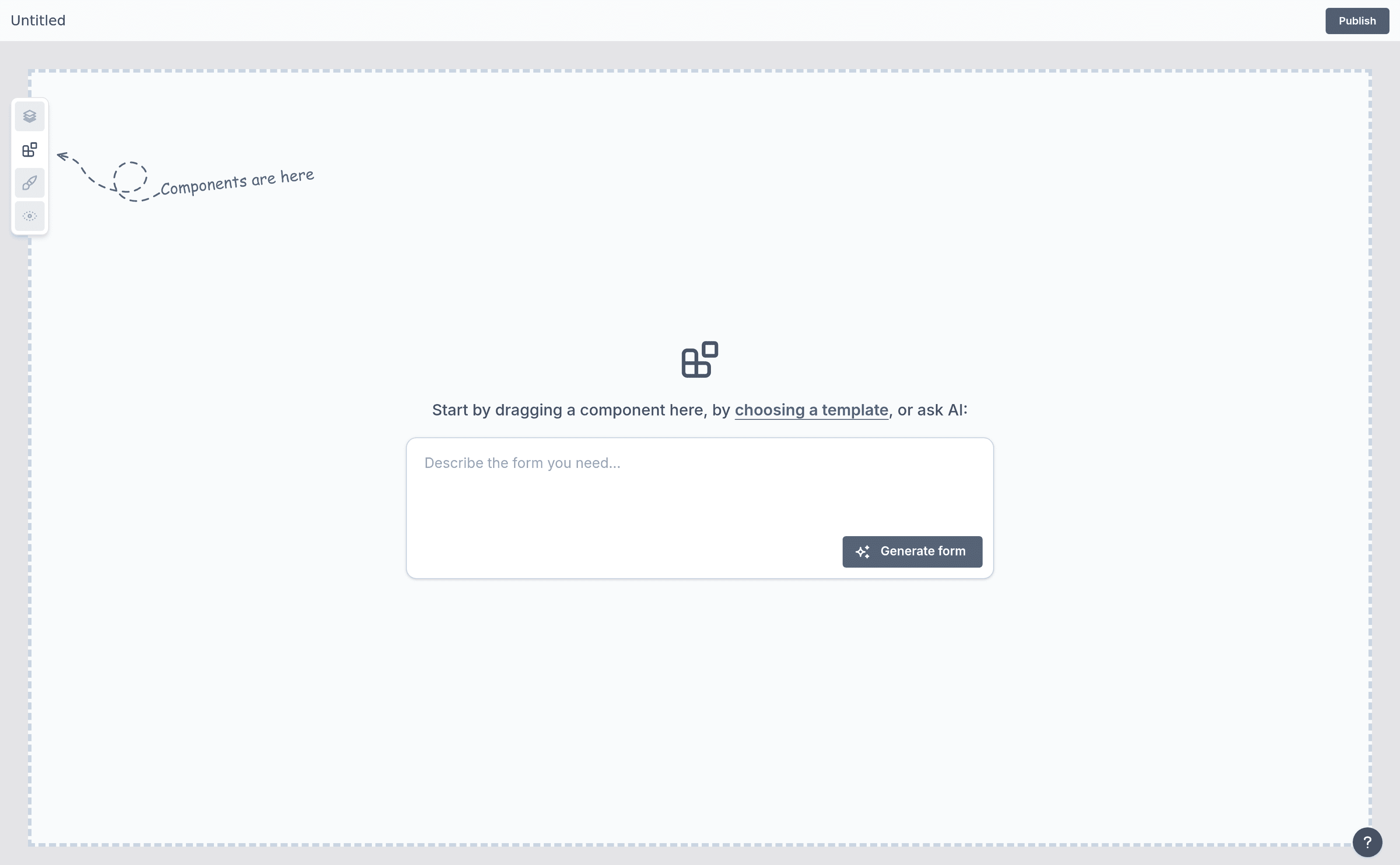
I tested both ways in: describing a form to the AI, and building on the canvas by hand.
The AI Form Builder
I typed one sentence: a speaker application form for an indie maker conference, listing the fields I wanted (name, email, talk title, abstract, preferred length, prior experience, dietary restrictions). About fifteen seconds later I had a finished four-page form: a Welcome page ("Apply to speak at our conference!" with a Start Application button), then "Your Details", "Your Talk Idea", and "Experience & Logistics".
What impressed me was the judgment in the details, not just the field mapping. The talk title input had a contextual placeholder ("Building a SaaS with no-code"), the abstract came with helper text asking for 100-200 words, the experience question was a required Yes/No, and dietary restrictions was correctly left optional with example answers in the placeholder. That's the kind of defaults a human would set. I've tested plenty of AI generators that hand you a flat list of inputs; this one handed me a form I could have published as-is.
The Editor
The editor is the part Bohdan wanted scrutinized, and it holds up. The core idea: you edit the real form, not an abstract field list with a preview somewhere else. The canvas is the form your respondents will see.
Click a question and it gets outlined, with a small floating toolbar beside it: duplicate, hide, settings, delete. Click the label and your cursor is just... in the text, editing it inline. Open the settings gear and a compact panel appears next to the component with only the options that component has. For a Yes/No question that's a description toggle, a default value, a Checkbox/Radio style switch, and Required. No modal, no separate settings page, no menu hunting.
My favourite small detail is the "Change to" swap. Next to the component name in the settings panel there's a convert icon: my Yes/No question could become a Dropdown, Multi choice, Checkbox, or Switch in one click, keeping the question text. Anyone who has rebuilt a field from scratch because they picked the wrong type will appreciate that.
The component library covers the standard ground and a bit more: short and long text, dropdowns, multiselect, checkboxes, matrix grids, number, ranking, rating, slider, linear scale, yes/no, email, phone, link, date, time, date & time, date ranges, plus text blocks and dividers for layout. Pages get the same visual treatment as components: a Pages panel shows live thumbnails of every page, with insert buttons between them and per-page duplicate/hide/delete.
Design changes are similarly immediate. The Design panel has a theme card that opens a gallery of prebuilt themes (Fomr Dark, Ocean Blue, Forest Green, Coral Pink, Lavender, Aurora Night...) shown as mini live previews; clicking one restyles the whole form instantly, and the typography and primary color fields update to show what the theme changed. The font field is a searchable dropdown where every font renders in its own typeface. The claimed catalogue is 50+ themes and 1,700+ fonts; I didn't count them all, but I never felt boxed in.
Workflows
The second thing Bohdan asked me to look at is Workflows, the system that runs actions after a submission arrives. This is the newest part of the product, and you can see where it's headed.
Every form has a Workflows tab that opens a proper node-graph canvas, the kind you'd recognize from n8n or Make: a dotted grid, draggable nodes, zoom controls. I created a workflow, added the "New response" trigger ("Runs when a respondent completes this form"), then picked an action from the menu: "Sync to Google Sheets - Append a completed response to a spreadsheet." The two nodes connect with an arrow, a plus button under the action invites you to chain another step, and the whole workflow stays visibly Disabled until the trigger and actions are actually configured, with a Step settings panel telling you exactly what's missing (in my case, connecting a Google account). There's also an Executions view where you can inspect each run and retry failed actions.
Right now, Google Sheets is the only action, so calling it "workflows" is partly a statement of intent. But the intent is credible: the plumbing (triggers, chained actions, execution logs, retries) is the hard part, and it's already built and shipped. Bohdan tells me more complex post-submission flows are what's coming next on this foundation. On the free plan you get one enabled workflow per form.
Publishing & Collecting Responses
Publishing is one click and refreshingly free of ceremony. The Publish button does its work and then turns into a Share button with the short link ready (mine was fomr.io/s/4Wh2kngpNK), plus options to configure a custom domain or the link preview. The published form kept the Fomr Dark theme I'd picked, with the "Made with Fomr" badge sitting quietly in the bottom-left corner. It really is discreet.
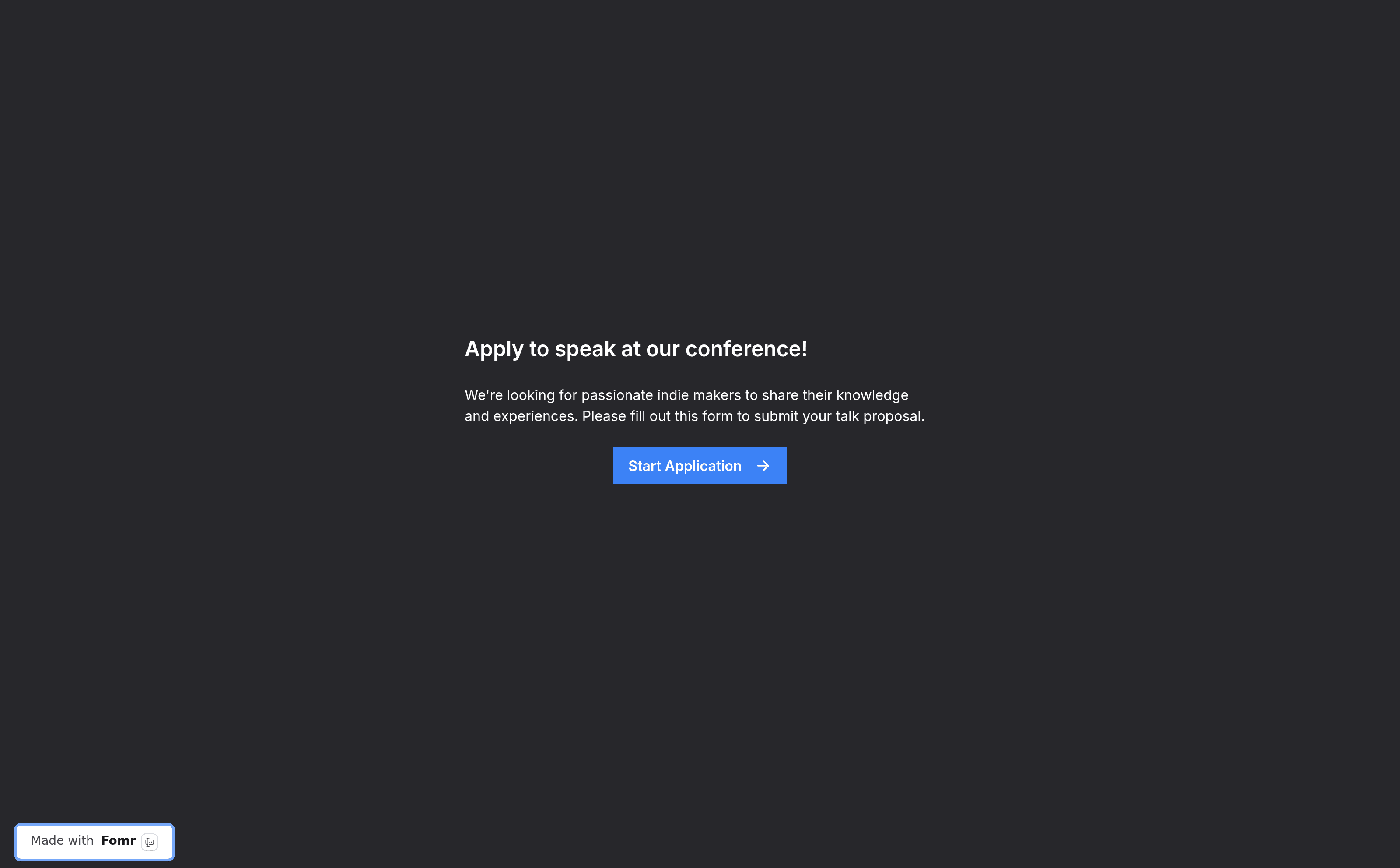
I then filled in my own form as a respondent. Two details stood out. Choice questions get lettered options (A, B, C), and there's an auto-jump setting that advances the page as soon as you answer a single-question page. And the thank-you page the AI had generated greeted me with "Thanks for your application, Thomas Sanlis!" — it had wired answer piping into the closing page without being asked.
The submission appeared in the Results tab within seconds, one column per question, with an Export CSV button and email notifications available for new responses. The Configure tab rounds things out with access controls, notifications, embed instructions, link preview and SEO settings (Pro), and version history, which even the free plan gets.
One more touch worth crediting: everything I'd built as an anonymous guest quietly migrated into my account the moment I signed up. No "your work was lost", no rebuild.
Everything Else Worth Knowing
A few more things I checked in passing:
- The 840+ template gallery is browsable by use case (healthcare intake, HR, lead gen, events) without an account.
- Answer piping works: my thank-you page reused the name field on its own.
- Version history and access controls are there on a free account, in the Configure tab.
- The changelog ships weekly: branded QR codes, hidden values, answer piping, a new Yes/No component, and an editor layout refresh in the last month alone.
And a few I'm taking from their documentation rather than my own testing: popup embeds, downloadable QR codes, custom domains (Pro), hidden values passed through URL parameters, and hosting in SOC 2 compliant data centers with GDPR-aligned data protection.
Pricing & Plans
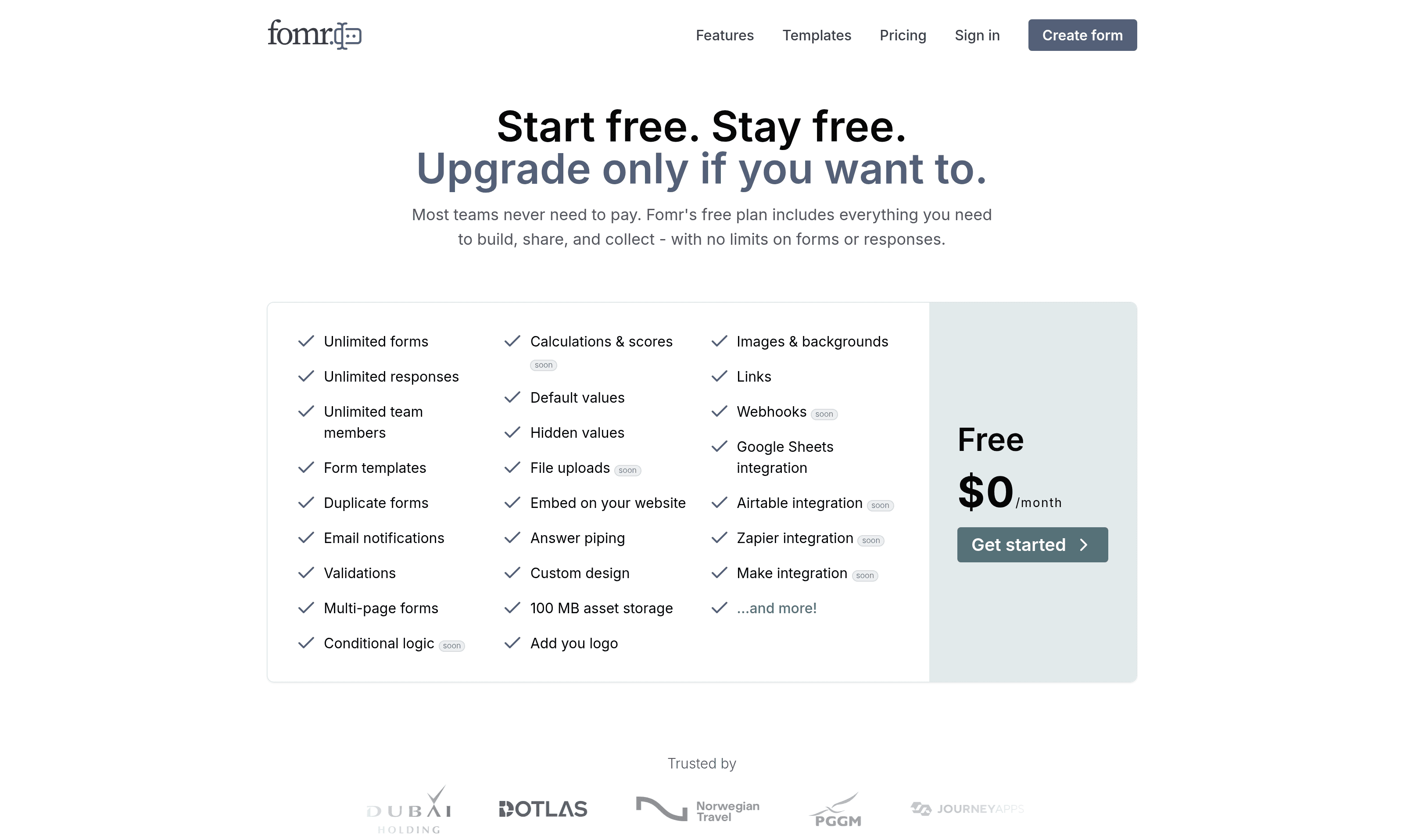
The free plan is the product: unlimited forms, unlimited responses, unlimited team members, all components, full design customization, multi-page forms, email notifications, embeds, and 100 MB of asset storage. There's no response cap to outgrow, which the home page drives home with a cost calculator comparing Fomr's flat $0 against a typical paid builder as response volume grows.
Pro is normally $34/month, currently at $17/month with a 50% launch discount (yearly billing gets 2 months free). It buys the things a business cares about once a form is public: removing the "Made with Fomr" badge, custom domains, SEO configuration, redirect on completion, partial responses, and 10 GB of storage. There's a 7-day money-back guarantee.
Business at $84/month is listed but still "coming soon", aimed at workspaces, roles, audit trails, and data retention policies.
The honest read: you can run real form workloads indefinitely without paying. Pro only starts to matter once a form is public-facing and you want it on your own domain, without the badge.
Who Should Use Fomr?
It's a strong fit if you are:
- A small team or startup that wants Typeform-quality forms without a per-response or per-seat bill.
- A marketer or founder who cares how forms look: the theme system and design control are well beyond what free tiers usually allow.
- Someone who wants to go from idea to published form in minutes, whether by AI prompt or drag-and-drop.
- A team living in Google Sheets that wants submissions appearing there automatically.
Where it isn't there yet: the integration list is young. Google Sheets is live, but Slack, Notion, Zapier, Airtable, webhooks, and the rest are still marked "soon", and conditional logic, calculations, file uploads, and payment collection are on the roadmap rather than in the product (conditional logic is flagged as in progress). If your forms depend on branching logic or collecting files and payments today, you'll need to wait a few releases or look elsewhere for now. To the team's credit, none of this is hidden: the pricing page labels every unshipped feature "soon", and the public roadmap takes votes.
Conclusion
That's the end of this Fomr review. The editor genuinely is the pitch: editing the real form, with settings that appear where your eyes already are, is faster than any panel-and-preview builder I've used, and the AI generator produces forms with sensible judgment baked in. Combined with a free plan that doesn't cap forms, responses, or teammates, that covers most of what I actually need from a form tool.
The bet you're making is on a young product's roadmap. What I can verify is the pace: the changelog has shipped something almost every week over the past two months, and the workflow plumbing for what's coming next is already live.
What I liked:
- The no-signup guest editor: you're building a real form within five seconds of the home page.
- Click-to-edit everything: inline labels, contextual settings, and the one-click "Change to" component swap.
- The AI builder's judgment: right field types, right required flags, contextual placeholders, a proper multi-page structure.
- Instant theme switching with live-preview cards, and a searchable font picker.
- Free actually means unlimited: forms, responses, and team members.
Things to keep in mind:
- Conditional logic, calculations, file uploads, and payments are still on the roadmap.
- Google Sheets is the only live integration for now; Slack, Zapier, Notion, webhooks and others are marked "soon".
- The Business plan isn't available yet.
If what's already shipped covers your form needs, Fomr is well worth the five signup-free seconds it takes to try.
Related Articles